

.webp)

 Mathan Allington


Best AG5 alternatives 2026: Skills Management buyer's guide
 Mathan Allington
Compare the best AG5 alternatives for 2026. Discover how top skills management platforms and LMS integrations help modern teams track and build...
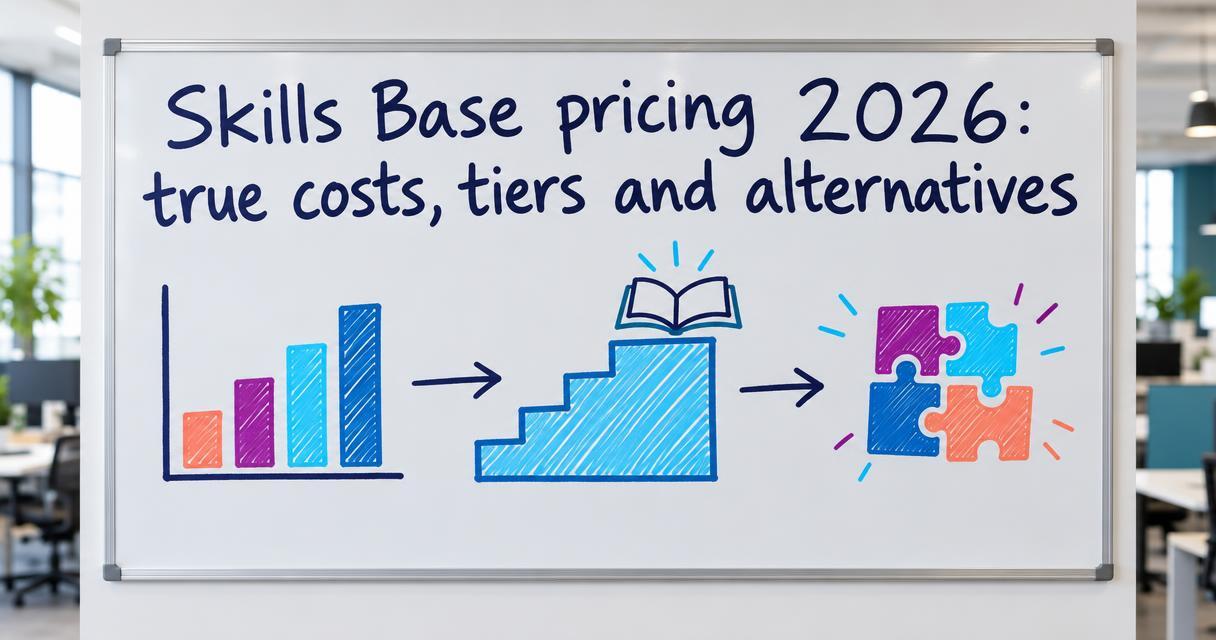
Skills Base pricing starts with a limited Free tier for up to 50 people, then moves to paid subscription tiers based on headcount and feature requirements.
Last reviewed October 2026
Quick answer
- Price: Free for up to 50 users; paid Teams and Enterprise plans scale by headcount (pricing on request for custom volumes).
- Best for: Organisations looking to build a basic skills inventory and track simple competency frameworks.
- Verdict: Skills Base offers a solid foundation for mapping skills, but teams wanting to actually build those capabilities need a unified learning platform like Compono Develop.
Understanding exactly what capability your team has right now is critical for growth. Many leaders start out tracking proficiencies on complicated spreadsheets. That approach falls apart fast when you try to scale it across multiple departments and hundreds of employees.
Transitioning to a dedicated skills matrix tool makes the data visible and actionable. Buying the software is only the first step. HR leaders and procurement teams need to understand the Total Cost of Ownership (TCO) before they commit to a vendor.
This includes knowing the limits of entry-level pricing tiers. It also requires a clear view of the hidden implementation costs associated with standing up a new platform. When you are budgeting for HR technology in 2026, comparing base subscription fees rarely gives you the full picture.
Skills Base operates on a freemium and tiered subscription model. The platform is designed to scale with your organisation as your headcount grows and your security requirements become more complex.
The pricing structure is broken down into four distinct tiers. Each tier opens up additional administrative controls and integration options.
Skills Base offers a Free tier designed for small teams and pilots. This tier supports up to 50 users. It provides access to basic skills mapping functionality and standard reporting features.
The Free tier is useful for testing the software on a single department. However, it lacks the single sign-on (SSO) and API access that most mid-market IT departments require for deployment.
When an organisation exceeds 50 employees, they move onto the Teams tier. This tier introduces able to grow pricing based on user volume. It adds more reliable data export capabilities and advanced dashboard views.
Pricing for the Teams tier is structured per user. The costs remain relatively accessible for growing businesses that need more than a spreadsheet but do not require heavy integrations.
The Enterprise tier targets larger organisations and government departments. Pricing on this tier is usually provided on request and involves an annual contract. It includes essential compliance and security features.
This tier opens up custom API access and SSO integrations. It also provides dedicated account management and service level agreements (SLAs) for support response times.
The Ultimate tier is the most comprehensive package available. It is aimed at multinational corporations needing complex taxonomy management across diverse global entities.
Pricing for the Ultimate tier is fully bespoke. It includes custom development requests and high-touch professional services for onboarding and ongoing taxonomy refinement.
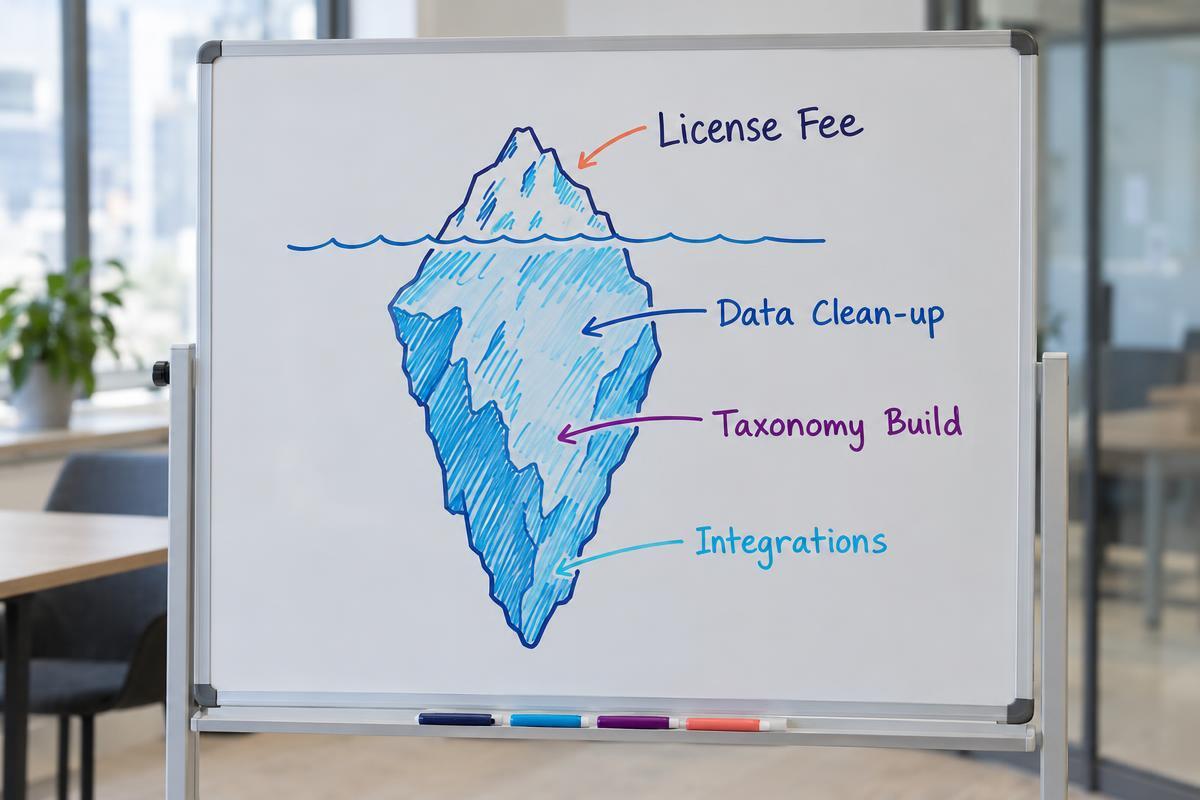
A software license fee is only a fraction of the actual cost of deploying a skills management platform. Implementation requires significant internal resources. Data clean-up and taxonomy creation take a vast amount of administrative time.
Most organisations do not have a pristine list of required competencies ready to upload. You will need to dedicate hours to consulting with department heads to define exactly what proficiency looks like for every single role.
Outcome-based “skills as a service” pricing depends on clean data, shared definitions, attribution models, and established baselines; without them, contracts can produce disputes over results (House of MarTech). If your data is messy going in, your reports will be unreliable coming out.
Integrations represent another major hidden cost. Pushing your new capability data into your HRIS or your applicant tracking system requires API configuration. If your IT team lacks the capacity, you might need to hire external consultants to build those bridges.
Mapping your workforce capability is not just an academic exercise. It directly impacts compensation structures and retention strategies. Employees want to know that building new proficiencies will translate into career progression.
In a sample of 273 U.S. warehouse-worker job postings with disclosed pay ranges, postings requiring forklift skills offered average hourly wages 17% higher than those that did not (Pave). The market clearly rewards specific capabilities with higher pay.
Maintaining a skills-based pay system requires organisations to inventory role-related skills, keep the inventory current, and determine the compensation impact of each skill (Pave). A platform like Skills Base helps you hold that inventory. However, the administrative burden of tying that data to your payroll bands remains a heavy lift for your HR team.
You also have to consider the cost of closing the gaps you identify. Finding a capability gap is useless if you have no mechanism to train your people. Independent trainers report enterprise site-license pricing ranging from $15,000 to $120,000 annually (Ruzuku).
When evaluating skills matrix software, you must factor in how you will deliver the learning. A standalone tracking tool forces you to buy a separate learning management system.
The primary weakness of any standalone skills inventory tool is that it only diagnoses the problem. It tells you exactly where your workforce is falling short. It does not provide the remedy.
If you identify that your middle managers lack important communication capabilities, you must deploy training to fix it. This means logging into a separate system to assign courses. It also means manually updating your skills matrix once that training is completed.
Median account average order value for skill-based training programs was $66.40, with the middle 50% ranging from $13.09 to $188.20, in an October 2026 benchmark snapshot (Madgicx Research & Labs). Managing these distinct learning transactions outside of your capability tracker creates data silos.
This disconnected process creates enormous process risk. Compliance falls through the cracks when your tracking system and your learning system do not talk to each other. You end up managing the administrative workflow rather than actually developing your people.
When you are comparing talent management platforms, you have to decide whether you want a point solution or a unified platform. Point solutions like Skills Base do one thing very well. Unified platforms connect that capability data directly to learning delivery.
Many organisations outgrow their standalone trackers because the manual data entry becomes overwhelming. They find themselves looking for a system that can automatically update an employee's proficiency level the moment they pass an assessment.
Compono Develop is a learning management system that tracks completion and builds capability in a single environment. It removes the friction between identifying a gap and delivering the exact module needed to close it.
Instead of managing two separate vendor contracts and battling with API integrations, a unified platform provides one source of truth. This approach lowers your Total Cost of Ownership and gives you a much clearer picture of your actual workforce readiness.
To make an informed choice, you must compare platforms based on what they actually do. Below is a breakdown of how Skills Base compares to alternatives in the market.
| Platform | Price | Best for | Limits |
|---|---|---|---|
| Compono Develop | Pricing on request | Building real capability, tracking compliance and delivering learning in one unified platform | Overkill if you only want a static spreadsheet alternative and have no plans to deliver internal training |
| Skills Base | Free tier (up to 50 users); paid tiers on request | Creating a standalone skills inventory and simple proficiency tracking | Requires external learning management systems to actually close the gaps you identify |
| TalentLMS | From $89 USD per month | Basic course delivery for small to medium teams | Weak on complex competency tracking and capability frameworks |
Compono makes Compono Develop. We've included it and kept every entry's strengths and limits honest.
When you choose a capability building platform, ensure you are buying a system that solves your operational problems. Do not buy software that simply gives you a better-looking version of your current spreadsheet.
If you want to move beyond mapping skills and start actively closing capability gaps, you need a system that connects tracking directly to learning. Compono Develop helps you understand your workforce gaps and deliver the exact training needed to fill them.
The Free tier supports up to 50 people. It includes basic capability mapping and standard reporting, but it restricts access to advanced integrations like single sign-on (SSO) and API connections.
No. Skills Base is designed strictly for inventory and tracking. You will need to integrate it with a separate learning management system (LMS) if you want to deliver and track training courses.
The primary hidden costs involve administrative time. You must define your competency frameworks, clean up your existing data and map out role requirements before the software provides any real value.
A unified LMS assesses proficiency and delivers the training to improve it within the same platform. A standalone tool requires you to find the gap, leave the platform to assign training elsewhere, and then return to manually update the employee's record.
Compare the best AG5 alternatives for 2026. Discover how top skills management platforms and LMS integrations help modern teams track and build...

Discover how RPL assessment software streamlines evidence collection, boosts learner progress, and ensures compliance.
The best LMS for NDIS providers in 2026. Compare top platforms for compliance tracking, audit readiness and building genuine support worker...