


 Mathan Allington


360Learning pricing 2026: true costs, hidden fees and plans
 Mathan Allington
The true cost of 360Learning in 2026. We break down the Team, Business and Enterprise plans, hidden implementation fees, and how to negotiate a...
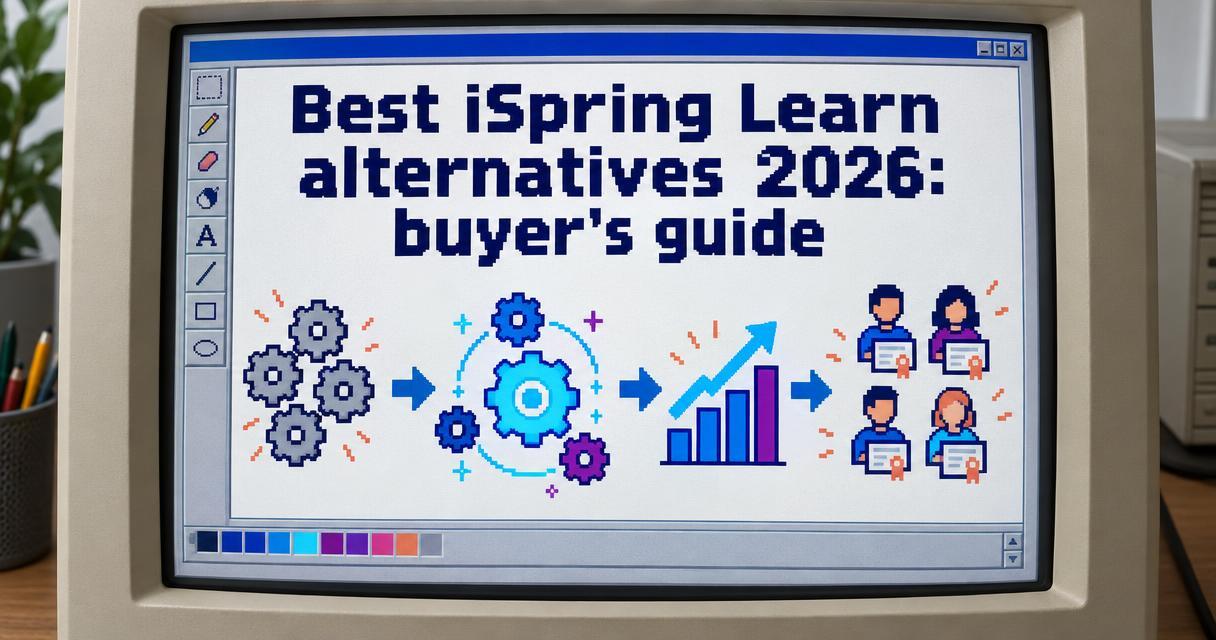
The best iSpring Learn alternatives provide advanced compliance tracking, deeper capability building and better integrations for growing mid-market teams.
Last reviewed November 2026
Quick answer
- Price: iSpring Learn pricing ranges from $3.97 to $6.91 per user per month across published 2026 plans.
- Best for: Mid-market organisations that need to connect learning outcomes to business performance, rather than just ticking completion boxes.
- Verdict: If your focus is tracking compliance and developing real skills, Compono Develop and Absorb LMS are the top choices for modern teams.
iSpring Learn is a capable learning management system (LMS) that is well known for its tight integration with iSpring Suite. Many teams start using it because they already use the authoring tool to build courses in PowerPoint. It is an easy leap to make.
As organisations grow, their learning needs become more complex. HR and learning leaders quickly realise that basic course hosting is not enough. You need to map skills, automate complex compliance pathways and measure whether training actually improves performance.
Cost is another major factor for growing teams. According to industry pricing data, iSpring Learn can become expensive as you add users, particularly when you need premium features or dedicated support. When budgets tighten, leaders want to know what else is available.
According to market analysis, iSpring Learn’s leading 2026 alternatives include Absorb LMS, Brightspace by D2L, and Cornerstone OnDemand. Buyers are actively looking for platforms that handle both process risk (compliance and audit trails) and people insight risk (ensuring the team actually has the capability to do the work safely and effectively).
Before you evaluate new vendors, you need to define exactly what you are replacing. This is the most common point of confusion for teams migrating away from iSpring.
iSpring Suite is a course authoring tool. It sits inside Microsoft PowerPoint and lets instructional designers create quizzes, screen recordings and interactive slides. It exports these files as SCORM packages.
iSpring Learn is the actual learning management system. This is the platform where you enrol users, host the SCORM files and track who has completed what.
You do not have to replace both. Many teams keep their iSpring Suite licences because their instructional designers love the workflow. They simply export their SCORM packages and upload them into a new, more advanced LMS that offers better reporting and skills mapping. If you only need a better way to deliver and track training, you are looking for an LMS replacement.
We evaluate learning platforms based on their ability to solve real business problems. A modern LMS must do more than just store videos. It needs to align learning with organisational goals.
We look at compliance management first. If a system cannot guarantee that an employee has completed mandatory safety training on time, it fails the basic test of managing process risk. We examine how each platform handles recurring certifications, audit reporting and automated reminders.
Next, we look at capability building. This involves assessing how the platform maps learning to specific job roles and behavioural profiles. We prefer platforms that provide clear pathways for career development. We also consider user experience, pricing transparency and the ease of importing existing SCORM content.
If you are running your own comparison process, using an LMS evaluation scorecard helps keep your stakeholders focused on business outcomes rather than flashy features.
Based on our evaluation of compliance handling, capability building and total cost of ownership, here is how the market shapes up for mid-market buyers.
Most learning management systems only manage process risk. They track who clicked through a module and store the certificate. Compono Develop handles this process risk flawlessly, but it also tackles people insight risk. It connects learning to actual capability development and performance outcomes.
The platform provides clear next steps for your team. It shows what people need to learn, how they should learn it and why it matters to their role. This means you can make defensible development decisions that you can stand behind with your executive team.
The platform is highly secure, boasting ISO 9001 and ISO 27001 certification. When used for large-scale compliance and licensing delivery, the results are significant. For example, the technology behind Compono Develop helped the Department of Transport Victoria save $34M in operational costs over two years through digital licensing transformation.
Compono Develop supports SCORM content natively, meaning you can easily import your existing iSpring Suite courses. It also offers blended learning support, recurring completions and a formal approval module for managers to sign off on practical assessments. It is rated 4.7 out of 5 across millions of learners.
Absorb LMS is a heavy hitter in the enterprise space. Research shows that iSpring LMS is rated 4.6/5 on G2, matching Absorb LMS’s reported 4.6/5 rating. This makes it a natural comparison point for teams looking to upgrade their technology stack.
The platform is known for its intelligent search functions and administrative automation. Docebo and Absorb LMS are identified as leading alternatives for AI-driven personalization in 2026. Absorb uses machine learning to recommend courses to users based on their previous activity. While it is a very capable system, teams choosing an Absorb LMS alternative often do so because they want a platform that focuses more on practical capability building rather than just content consumption.
Docebo focuses heavily on the extended enterprise. If your business model involves training external franchise owners, reselling partners or software users, Docebo provides the architecture to manage those separate audiences effectively.
The system uses artificial intelligence to automate tagging and content curation. However, the platform requires a dedicated learning administrator to get the most value out of its complex feature set. For mid-market HR teams looking for a straightforward way to manage internal staff development, Docebo can sometimes feel over-engineered.
Litmos is a veteran in the LMS market. Its biggest selling point is its content library. Market data notes that Litmos offers more than 2,000 pre-built courses, making it a leading alternative for organisations prioritising ready-made content. This is highly appealing for lean HR teams that do not have the time or resources to build their own compliance and soft-skills training.
While the off-the-shelf content is excellent, organisations often find that generic content only gets them halfway there. You still need to build custom operational training that reflects your unique company processes. Litmos handles custom SCORM files well, but some users report that building complex, blended learning pathways requires workarounds.
LearnUpon is designed around the concept of portals. If you have different brands, different departments or different customer groups, you can give each one a branded learning environment from a single account. LearnUpon is rated 4.5/5 on G2 and is positioned for organisations managing multiple learner or customer portals.
It is a clean, user-friendly system that handles SCORM content reliably. However, it sits firmly in the traditional LMS category. It excels at delivering content and tracking completions, but it offers fewer native tools for assessing on-the-job competency or mapping training back to your overarching culture and engagement strategies.
Moodle is the dominant open-source player in the learning space. Moodle is rated 4.1/5 on G2 and offers free, open-source LMS software, though hosting and IT administration are required. The software itself costs nothing to download.
The true cost of Moodle lies in its maintenance. You need internal IT resources or an external agency to host the platform, apply security patches and build custom plugins. For a university, this makes sense. For a mid-market HR team trying to simplify their operations, managing a Moodle server is a distraction from their core job of developing people.
When comparing platforms, it helps to look at the specific capabilities that drive business outcomes. Here is how the top contenders stack up on key features.
| Platform | Best Feature | SCORM Support | Ideal Audience |
|---|---|---|---|
| Compono Develop | Capability mapping and compliance tracking | Yes | Mid-market growing teams |
| Absorb LMS | AI-driven course recommendations | Yes | Enterprise businesses |
| Docebo | Extended enterprise training | Yes | Customer and partner networks |
| Litmos | Massive off-the-shelf content library | Yes | Teams needing generic content |
| LearnUpon | Multiple branded learning portals | Yes | Franchises and multi-brand groups |
| Moodle | Highly customisable open-source code | Yes | Universities and IT-heavy teams |
Disclosure: Compono makes Compono Develop. We've included it and kept every entry's strengths and limits honest.
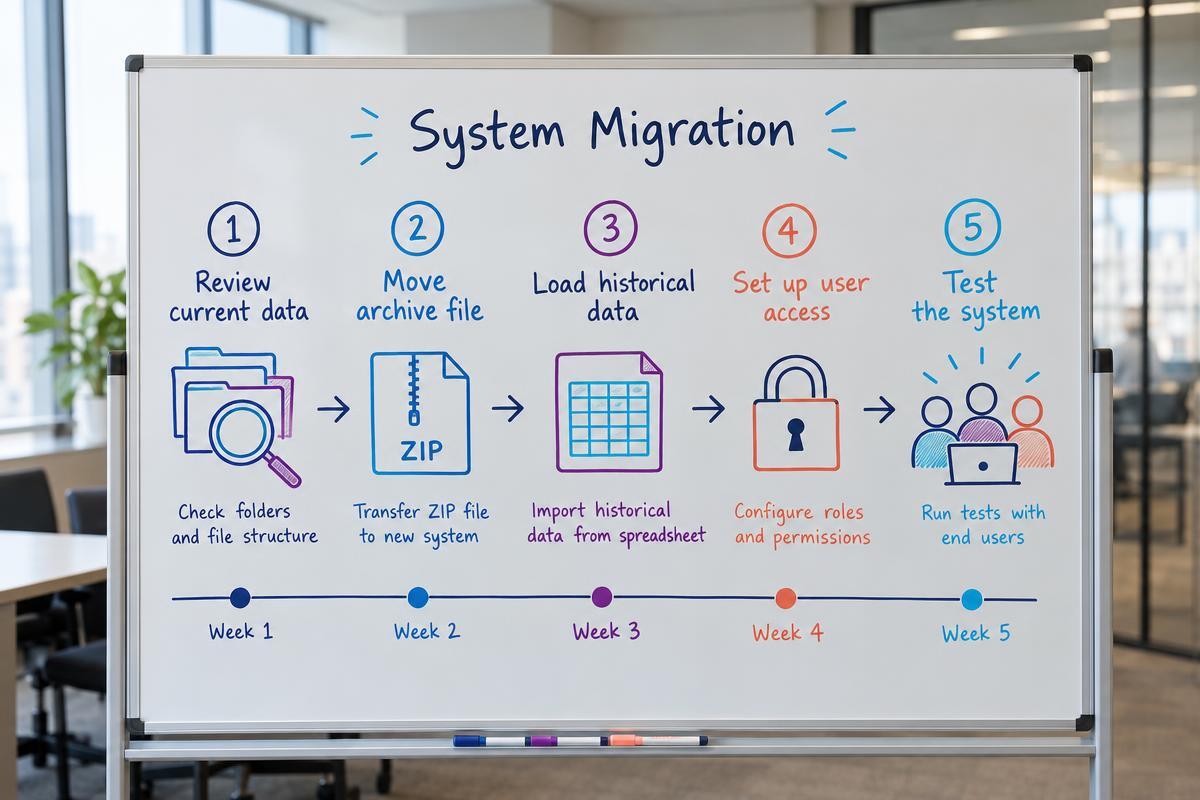
Moving away from iSpring Learn requires careful planning. Your historical training data proves your compliance, so you cannot afford to lose it during the transition.
Before you export anything, review your current course library. Most organisations find that at least a quarter of their training materials are outdated. Do not migrate obsolete content. Identify the courses that are still relevant and note whether they were built in iSpring Suite, uploaded as videos or created as raw documents.
For the courses you want to keep, export the original source files as SCORM 1.2 or SCORM 2004 packages. If you used iSpring Suite to build them, open your PowerPoint files and republish them. Save these ZIP files in a secure, central folder. The best Australian LMS platforms all support standard SCORM imports.
This is the most critical step for compliance. You need a record of who completed what and when. Run a comprehensive report in iSpring Learn that includes user names, email addresses, course titles, completion dates and certification expiry dates. Export this as a CSV file. Your new LMS provider will map this data into their system so your staff do not have to retake courses they have already finished.
Decide how users will log into the new system. The most efficient method is configuring Single Sign-On (SSO) through your identity provider (like Microsoft Entra or Okta). Alternatively, you can set up a direct API feed from your HRIS. Understanding the difference between an LMS vs HRIS integration ensures your employee data stays synchronised automatically.
Before launching to the whole company, import a small sample of SCORM courses and user data. Have a pilot group of trusted employees log in and test the system. Ask them to complete a module and check if the tracking registers correctly. Fix any mapping errors before you execute the final cutover.
When you evaluate alternatives, make sure you understand how each vendor structures their pricing. The headline per-user cost rarely tells the whole story.
Many vendors charge implementation fees. Setting up single sign-on, migrating historical data and configuring custom roles takes time, and vendors often bill for these professional services upfront. Ask for a clear breakdown of implementation costs before you sign a contract.
You also need to check how they define an active user. Some platforms charge based on the total number of accounts in the system, even if half those people are on long-term leave or rarely log in. Other platforms only charge for users who actively launch a course during the billing month. Active-user pricing is usually much more cost-effective for organisations with seasonal or casual workforces.
Finally, ask about storage limits. Video files and complex SCORM packages take up significant server space. Some vendors offer low entry pricing but charge steep overage fees if you exceed your allocated storage limit.
If you want a learning platform that goes beyond tracking compliance to actually building and measuring workforce capability, we can help you make the transition.
Yes. iSpring Suite is a standalone authoring tool that exports standard SCORM packages. You can continue using it to build your courses in PowerPoint and then upload those SCORM files to any modern LMS, including Compono Develop.
It is a standard process. You will need to export your completion records from your current system as a CSV file. Your new LMS provider will give you a data mapping template to ensure the historical records align with the new user accounts. Most vendors assist with this during implementation.
Performance issues usually stem from hosting infrastructure or overly large SCORM files. When evaluating a new LMS, ask where their servers are located and check their guaranteed uptime service level agreements. Improving your video compression before uploading courses also helps.
A learning management system (LMS) is driven by administrators who assign mandatory training and track compliance. A learning experience platform (LXP) is driven by the user, operating more like a streaming service where employees discover and share informal content. Modern platforms often blend elements of both.
Look beyond completion rates. Success means your team is applying the skills on the job. Measure changes in error rates, safety incidents or customer satisfaction scores after the training is delivered. The platform should make it easy for managers to observe and approve practical competency in the workplace.

The true cost of 360Learning in 2026. We break down the Team, Business and Enterprise plans, hidden implementation fees, and how to negotiate a...

Looking for Docebo alternatives in 2026? Compare top competitors like LearnUpon, TalentLMS, and Compono to find the right learning platform for your...
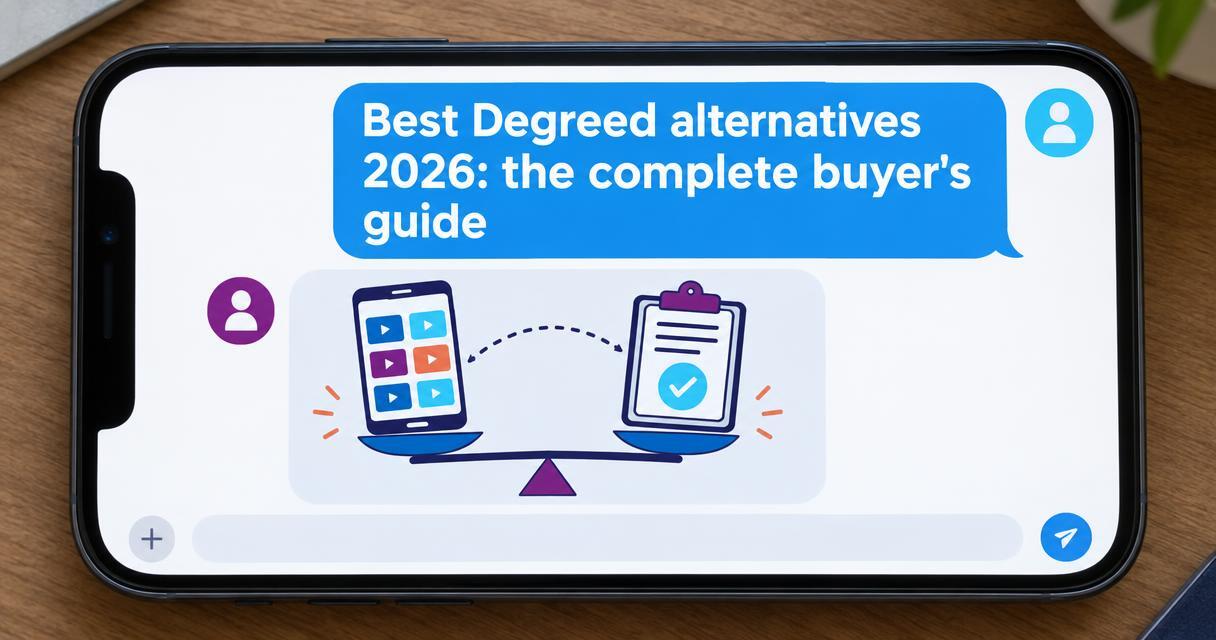
Compare the best Degreed alternatives for 2026. Discover which platforms build true capability, track compliance, and deliver better value for your...